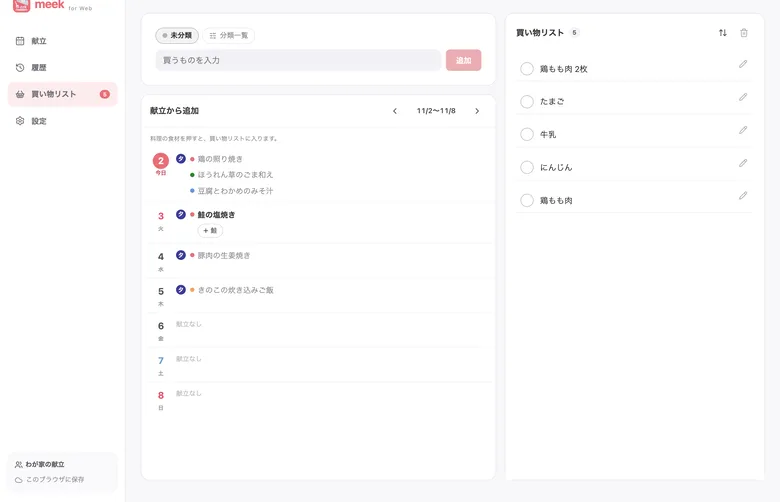
スマホのアプリで使っている Apple か Google のアカウントでログインすると、そのまま献立が開きます。
できること
献立
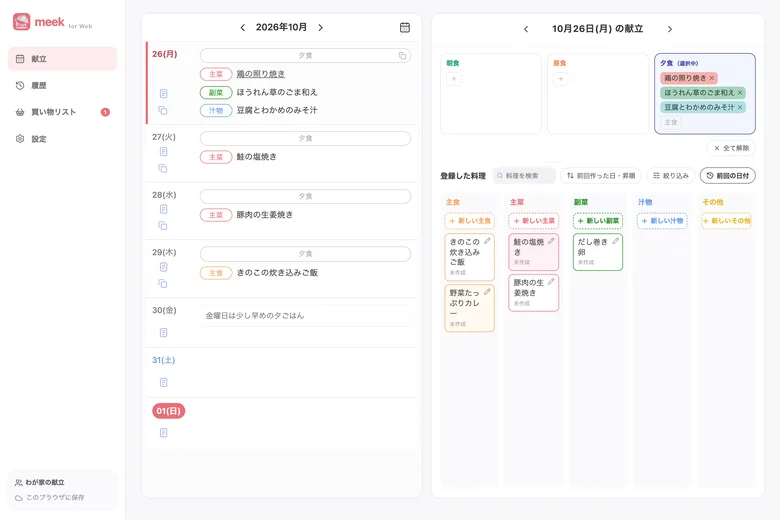
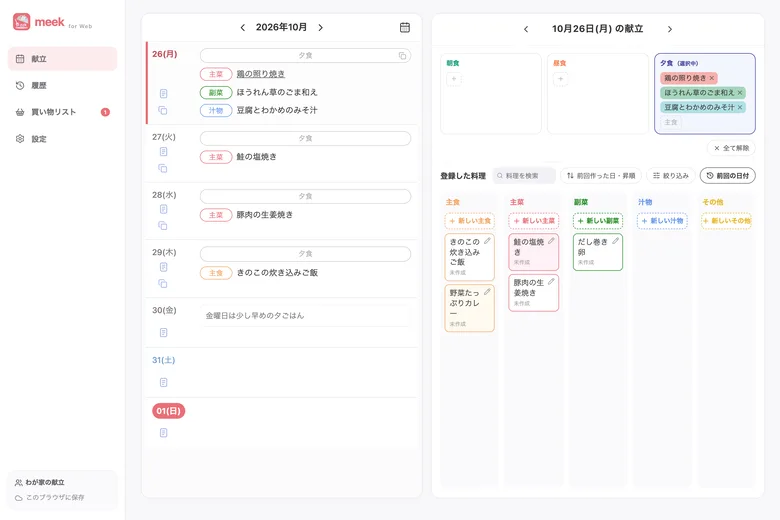
週ごとの献立を見て、料理を入れたり外したりできます。日のメモも書けます。
料理
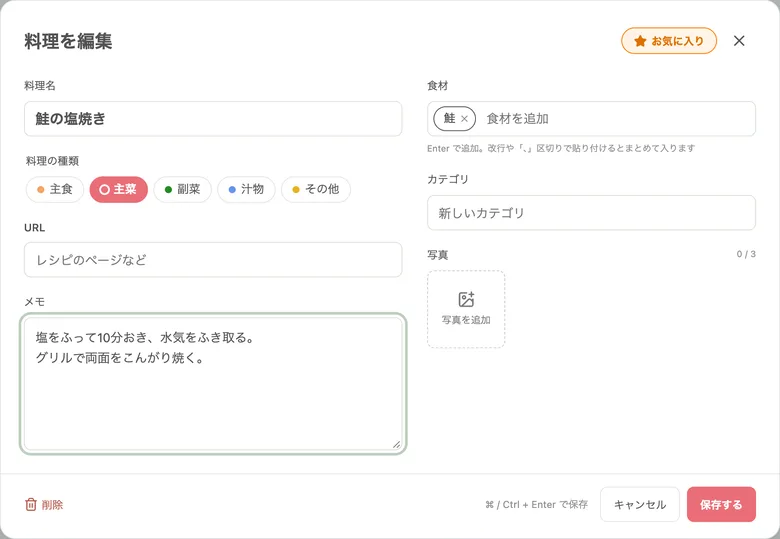
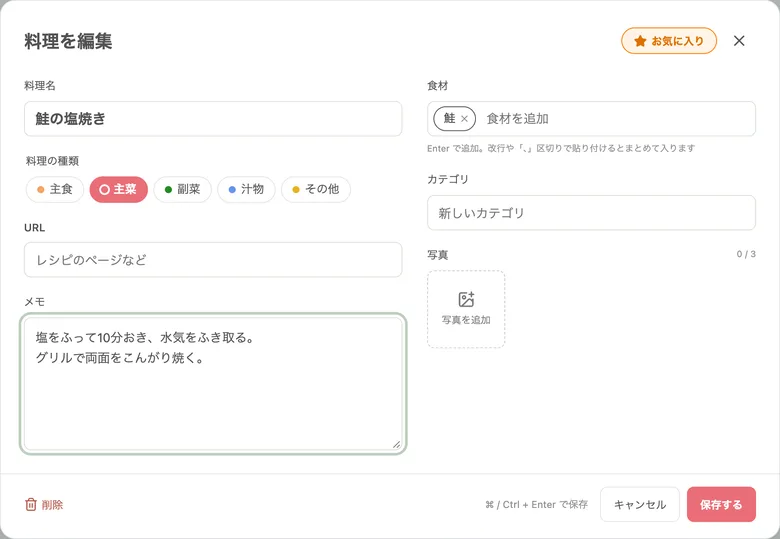
料理名・種類・材料・作り方のメモ・レシピの URL を登録・編集できます。写真も追加できます。
買い物リスト
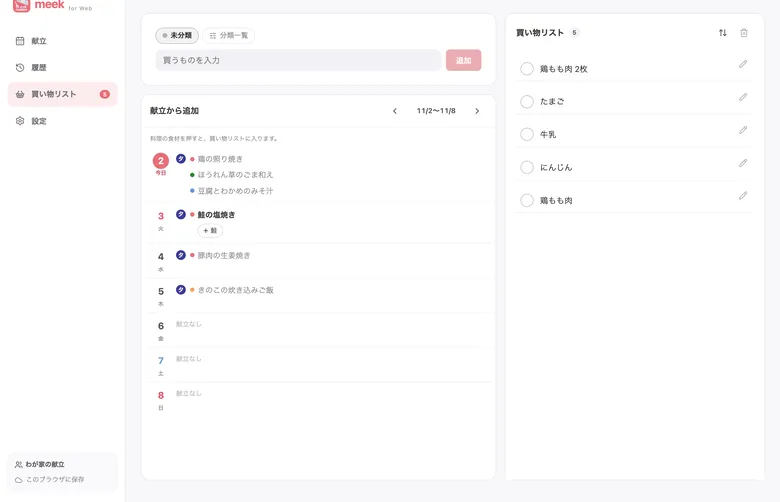
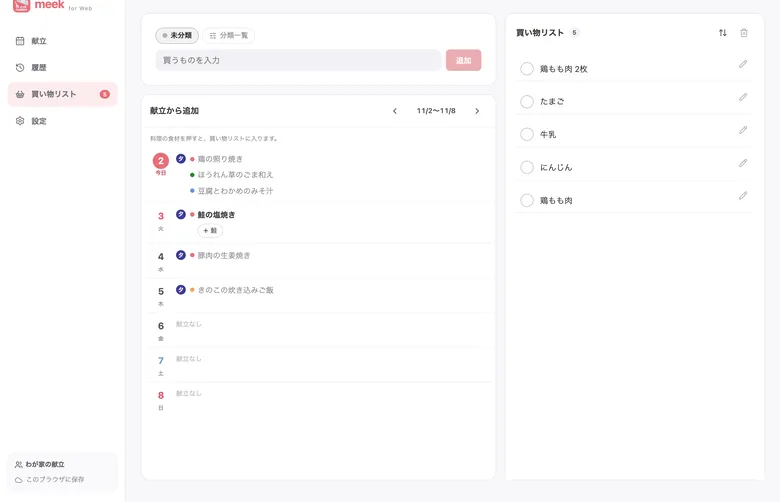
買うものの追加・チェック・削除ができます。スマホと同じリストです。
知っておくと便利
使えるのは有料の共有プランのとき
無料の共有や、共有していないときは使えません。有料プランには、共有を始めた人がアプリから入れます。
別のブラウザで使いたいとき
Web 版は、1 つのアカウントにつき 1 つのブラウザで使えます。別のブラウザでログインすると、切り替えるかを聞かれます。切り替えると、前のブラウザでは使えなくなります。
スマホのアプリでだけできること
共有を始める・招待する、プランに入る・解約するのは、スマホのアプリで行います。
おすすめのブラウザ
最新版の Chrome か Safari をお使いください。
Meal plans and the shopping list,
in your computer browser too
Members of a paid sharing plan can use meek in a computer browser. Meal plans and the shopping list from the phone appear as they are, and what you write on the computer reaches the phone too.
Getting started
Open https://web.meek.tyabaapp.com in a computer browser
Tip: use “Copy link” or “Send to computer” on the Web version card in the app's sharing screen.
Sign in with the same account as the app
Sign in with the Apple or Google account you use in the app on your phone, and your meal plan opens.
What you can do
Meal plans
See each week's meal plan and add or remove dishes. You can also write daily notes.
Dishes
Add and edit the dish name, type, ingredients, cooking notes and recipe URL. You can add photos too.
Shopping list
Add, check off and delete items. It is the same list as on the phone.
Good to know
Available with the paid sharing plan
It isn't available with free sharing or when you aren't sharing. The person who started sharing can upgrade in the app.
Using a different browser
You can use the web version in one browser per account. If you sign in on another browser, you are asked whether to switch. After switching, the previous browser can no longer be used.
Things you do in the phone app
Starting sharing, inviting members, and subscribing or canceling are done in the phone app.
Recommended browsers
Use the latest version of Chrome or Safari.
PC 브라우저에서도
식단과 장보기 목록
유료 공유 플랜의 구성원은 PC 브라우저에서 meek을 사용할 수 있습니다. 스마트폰에서 입력한 식단과 장보기 목록을 그대로 볼 수 있고, PC에서 작성한 내용도 스마트폰에 전달됩니다.
시작하는 방법
PC 브라우저에서 https://web.meek.tyabaapp.com 열기
앱의 공유 화면에 있는 「웹 버전」의 「링크 복사」나 「PC로 보내기」로 보내면 편리합니다.
앱과 같은 계정으로 로그인
스마트폰 앱에서 사용하는 Apple 또는 Google 계정으로 로그인하면 바로 식단이 열립니다.
할 수 있는 것
식단
주별 식단을 보고 요리를 넣거나 뺄 수 있습니다. 날짜별 메모도 쓸 수 있습니다.
요리
요리 이름·종류·재료·조리 메모·레시피 URL을 등록하고 편집할 수 있습니다. 사진도 추가할 수 있습니다.
장보기 목록
살 것을 추가·체크·삭제할 수 있습니다. 스마트폰과 같은 목록입니다.
알아두면 편리한 점
유료 공유 플랜일 때 사용할 수 있습니다
무료 공유이거나 공유하지 않을 때는 사용할 수 없습니다. 유료 플랜은 공유를 시작한 사람이 앱에서 가입합니다.
다른 브라우저에서 사용하고 싶을 때
웹 버전은 계정당 1개의 브라우저에서 사용할 수 있습니다. 다른 브라우저에서 로그인하면 전환할지 묻습니다. 전환하면 이전 브라우저에서는 사용할 수 없게 됩니다.